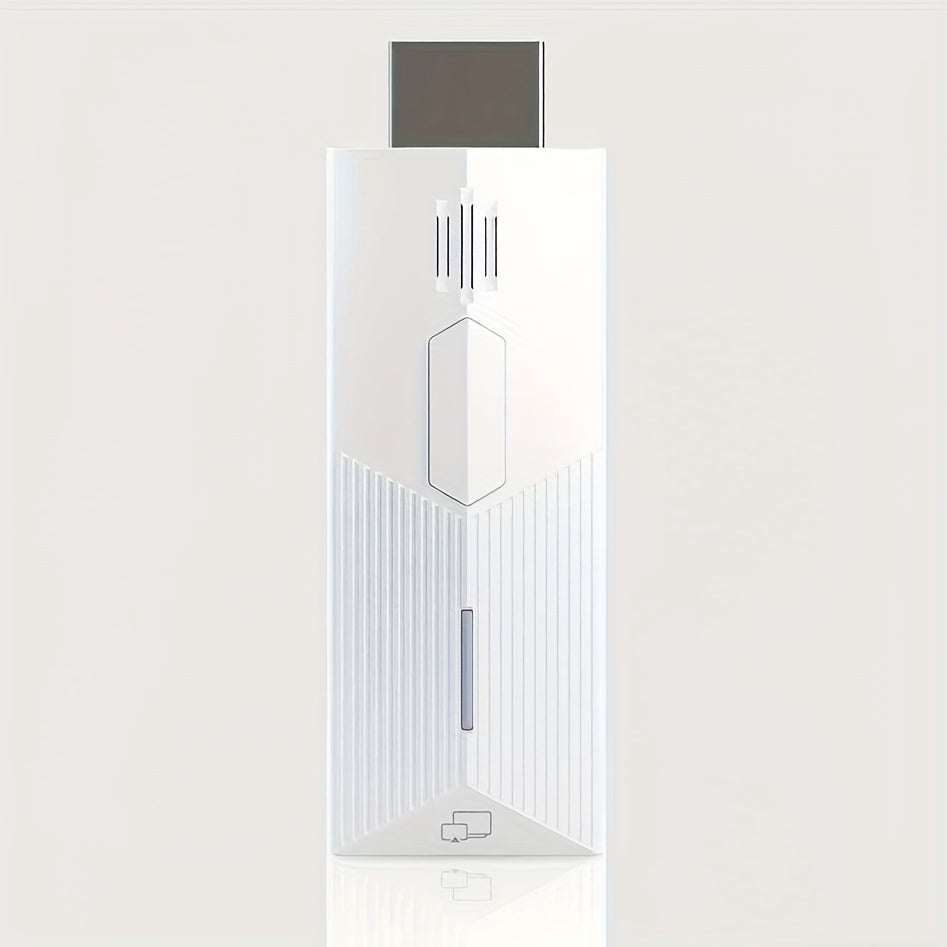
AirPlay Miracast Screen Mirroring Dongle 1080P - Wireless HDMI Display Adapter for iPhone Android Mac Windows PC to TV Projector, 5GHz WiFi, Plug and Play, No App Required, DLNA Streaming Stick
AirPlay Miracast Screen Mirroring Dongle 1080P - Wireless HDMI Display Adapter for iPhone Android Mac Windows PC to TV Projector, 5GHz WiFi, Plug and Play, No App Required, DLNA Streaming Stick


Couldn't load pickup availability
-
Ordered
- - -
Order Ready
- - -
Delivered

AirPlay Miracast Screen Mirroring Dongle 1080P - Wireless HDMI Display Adapter for iPhone Android Mac Windows PC to TV Projector, 5GHz WiFi, Plug and Play, No App Required, DLNA Streaming Stick
AirPlay & Miracast Screen Mirroring Dongle — Wirelessly Cast Any Screen to Your TV or Projector
Imagine finishing a movie on your phone and throwing it onto the big screen with a single tap — no cables, no apps, no fuss. This 1080P Wireless Display Dongle bridges your iPhone, Android, Mac, or Windows PC to any HDMI TV or projector instantly. With native AirPlay and Miracast support over a stable 5GHz WiFi connection, you get smooth, lag-free streaming that just works, every time.
Key Features
- 📱 Universal AirPlay & Miracast Support — Natively compatible with Apple AirPlay (iPhone, iPad, Mac) and Miracast (Android, Windows), covering virtually every modern smartphone, tablet, and laptop without extra software.
- 📺 1080P Full HD Streaming — Enjoy crisp, high-definition screen mirroring at up to 1080P resolution — perfect for movies, YouTube, Netflix, presentations, and mobile gaming on the big screen.
- ⚡ 5GHz WiFi for Lag-Free Performance — Dual-band 5GHz connection minimizes interference and delivers low-latency, stable streaming without buffering or signal drops.
- 🔌 Plug and Play — No App Required — Plug into any HDMI port, connect to WiFi, and start mirroring in under 60 seconds. No account, no software, no technical setup needed.
- 🎥 DLNA Support Included — Stream media files directly from your local network using DLNA for even more flexible playback options.
- 🔋 USB Powered — Compact & Portable — Powers via USB from your TV or a standard USB charger. Pocket-sized design goes wherever you go — hotel rooms, conference rooms, classrooms.
Specifications
| Parameter | Details |
|---|---|
| Resolution | Up to 1080P Full HD |
| Protocols | AirPlay, Miracast, DLNA |
| WiFi Band | 5GHz (Dual-Band) |
| Connection | HDMI |
| Compatible Devices | iPhone, iPad, Android, Mac, Windows PC |
| Setup | Plug and Play (No App Required) |
| Power Source | USB Powered |
| Colors Available | Black / White |
Frequently Asked Questions
Q: Who is this screen mirroring dongle best suited for?
A: It's ideal for cord-cutters, remote workers, students, travelers, and anyone who wants to wirelessly share their phone or laptop screen on a TV or projector. It's especially popular with iPhone users who want AirPlay without an Apple TV, and Android users who want Miracast on any HDMI display.
Q: What can I use this dongle for?
A: Stream Netflix, YouTube, Disney+, and other apps from your phone to the TV; mirror your laptop for business presentations; play mobile games on a large screen; share vacation photos with family; or use it in a classroom or conference room with a projector.
Q: Is this a good gift idea?
A: Absolutely — it's a practical, plug-and-play gift for parents, college students, frequent travelers, or anyone who wants to cut the cord. It works right out of the box with no tech knowledge required, making it a crowd-pleaser for any occasion.
Q: How do I set up this wireless display dongle?
A: Plug the dongle into your TV or projector's HDMI port and power it via USB. Switch your TV input to the correct HDMI channel. On your iPhone, use AirPlay from the Control Center; on Android or Windows, use the Cast or Miracast screen mirroring option. The whole process takes under a minute.
Q: Is this compatible with Netflix and other streaming apps?
A: Yes — since it mirrors your entire device screen, any app that plays on your phone or laptop (including Netflix, YouTube, Hulu, Disney+, and more) will display on your TV. Note: some apps with DRM restrictions may limit mirroring; casting from a browser is a reliable workaround.
Q: Does this dongle have STEM or educational value?
A: Yes! It's a great hands-on introduction to wireless display protocols (AirPlay, Miracast, DLNA), WiFi networking, and multimedia streaming technology. Teachers and students can use it to understand how wireless screen sharing works — a foundational concept in modern networking and consumer electronics.
Fast US Shipping
Ships from US warehouse, free delivery 2-7 business days.