Dual Bay Hard Drive Docking Station USB 3.0 to SATA with Offline Clone Function – Wavlink Tool-Free Dock for 2.5/3.5 Inch HDD SSD, Up to 2x16TB, UASP 5Gbps, Hot Swap, USB-C Adapter Included
Dual Bay Hard Drive Docking Station USB 3.0 to SATA with Offline Clone Function – Wavlink Tool-Free Dock for 2.5/3.5 Inch HDD SSD, Up to 2x16TB, UASP 5Gbps, Hot Swap, USB-C Adapter Included

Couldn't load pickup availability
-
Ordered
- - -
Order Ready
- - -
Delivered

Dual Bay Hard Drive Docking Station USB 3.0 to SATA with Offline Clone Function – Wavlink Tool-Free Dock for 2.5/3.5 Inch HDD SSD, Up to 2x16TB, UASP 5Gbps, Hot Swap, USB-C Adapter Included
Wavlink Dual Bay Hard Drive Docking Station – Clone, Backup & Store with Ease
Imagine having a single device that lets you clone an entire hard drive with one button press — no computer needed. The Wavlink Dual Bay Hard Drive Docking Station does exactly that. Whether you're a home user backing up precious files, an IT professional managing data migrations, or a content creator archiving footage, this dock gives you fast, reliable, tool-free access to two 2.5" or 3.5" SATA HDDs or SSDs simultaneously. With UASP-accelerated USB 3.0 speeds and support for up to 2×16TB, it's the storage hub your setup has been missing.
Why You'll Love It
- 🔁 Offline Clone Function – Duplicate one drive to another with a single button press — no PC required
- ⚡ UASP 5Gbps Transfer Speed – Up to 70% faster reads and 40% faster writes vs. standard USB 3.0
- 💾 Massive Capacity Support – Access up to 2×16TB simultaneously for serious storage needs
- 🔌 Tool-Free, Plug & Play – No drivers or software needed; works on Windows, macOS, Linux, and Android (OTG)
- 🔄 Hot Swap & Auto-Sleep – Swap drives without powering down; auto-sleep extends drive lifespan
- 📱 USB-C Adapter Included – Connects to USB-C laptops and Thunderbolt 3 devices right out of the box
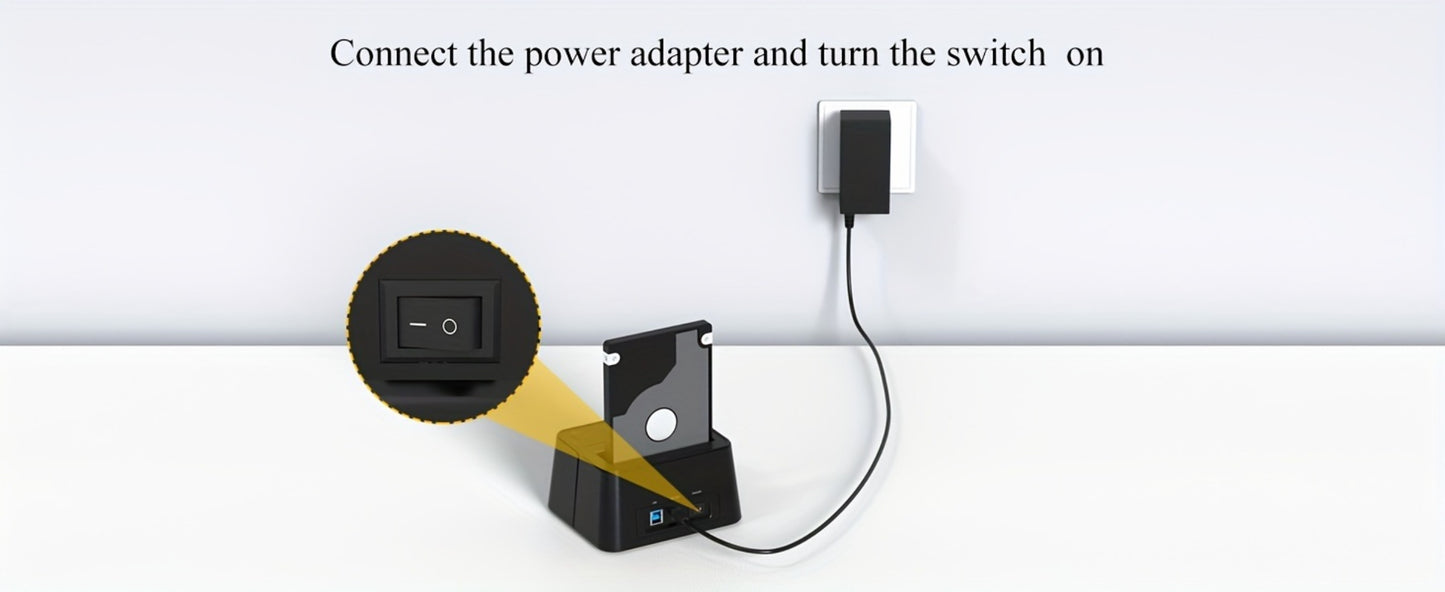
- 🛡️ Stable 12V/3A Power Supply – Dedicated DC adapter ensures reliable power for large-capacity 3.5" drives
Specifications
| Specification | Details |
|---|---|
| Interface | USB 3.0 (USB-B to USB-A cable included) |
| Drive Compatibility | 2.5" and 3.5" SATA I/II/III HDD & SSD (SATA only, no IDE) |
| Max Capacity | Up to 2×16TB |
| Transfer Speed | Up to 5Gbps / 420MB/s (UASP) |
| Clone Function | Offline (no PC required); target disk must be ≥ source disk |
| OS Compatibility | Windows, macOS, Linux, Android (OTG) |
| Power Supply | 12V/3A DC adapter (included) |
| USB-C Adapter | Included (USB-A to USB-C) |
| Features | Hot swap, auto-sleep, LED status indicators, anti-skid feet |
| In the Box | Docking station, USB-B to USB-A cable, 12V/3A adapter, USB-A to USB-C adapter, quick start guide |
Frequently Asked Questions
Q: Who is this docking station best suited for?
A: It's ideal for IT professionals, photographers, video editors, and home users who need to back up, clone, or transfer data between hard drives quickly and without a computer.
Q: What drives are compatible?
A: It supports all 2.5" and 3.5" SATA I/II/III HDDs and SSDs. It does NOT support IDE drives. One or two drives can be used at the same time.
Q: Is this a good gift?
A: Yes — it's a practical, high-value gift for anyone who works with large amounts of data, including photographers, videographers, IT professionals, and tech enthusiasts.
Q: How does the offline clone function work?
A: Insert the source drive in Bay A and the target drive in Bay B (target must be equal to or larger than source). Disconnect the USB cable, power on, then hold the CLONE button for 3 seconds. Four LED lights will turn solid blue when cloning is complete.
Q: Do I need any extra accessories?
A: No — all necessary cables and adapters are included. You'll just need your own SATA hard drives or SSDs.
Q: Can this be used for STEM or tech education?
A: Absolutely — it's a great hands-on tool for learning about data storage, SATA interfaces, USB protocols, and disk cloning, making it valuable for computer science students and educators.
Fast US Shipping
Ships from US warehouse, free delivery 2-7 business days.