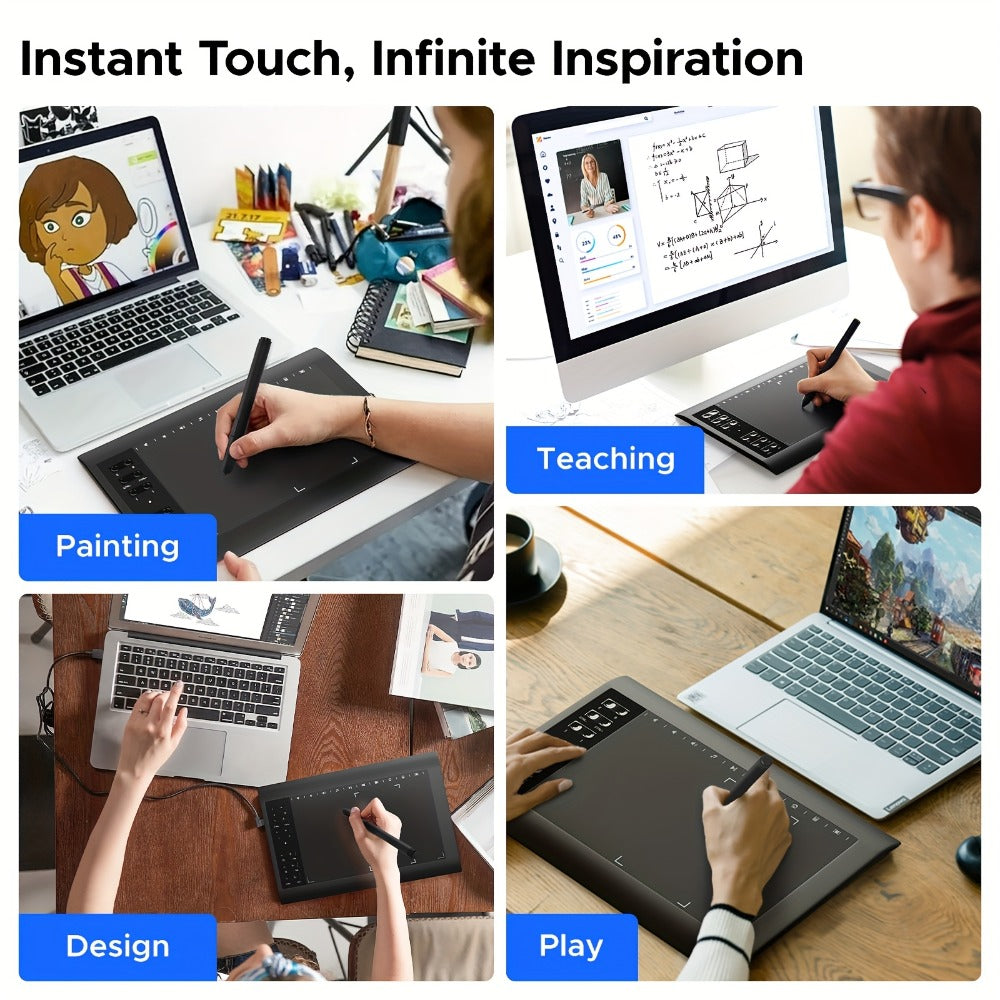
Graphics Drawing Tablet 10x6 Inch, 8192 Levels Pressure Sensitivity Battery-Free Stylus, 12 Programmable Shortcut Keys, 30 Replacement Tips, Tilt Support, Compatible with PC Mac Android – Digital Art, Illustration & Online Teaching
Graphics Drawing Tablet 10x6 Inch, 8192 Levels Pressure Sensitivity Battery-Free Stylus, 12 Programmable Shortcut Keys, 30 Replacement Tips, Tilt Support, Compatible with PC Mac Android – Digital Art, Illustration & Online Teaching

Couldn't load pickup availability
-
Ordered
- - -
Order Ready
- - -
Delivered

Graphics Drawing Tablet 10x6 Inch, 8192 Levels Pressure Sensitivity Battery-Free Stylus, 12 Programmable Shortcut Keys, 30 Replacement Tips, Tilt Support, Compatible with PC Mac Android – Digital Art, Illustration & Online Teaching
Graphics Drawing Tablet 10x6 Inch – Precision Digital Art for Every Creator
Unleash your creativity with this professional-grade 10x6 inch graphics drawing tablet. Whether you're a digital artist crafting detailed illustrations, a graphic designer perfecting layouts, or a teacher annotating lessons live — this tablet delivers the precision, speed, and comfort you need. Powered by 8192 levels of pressure sensitivity and a battery-free stylus that's always ready, your creative flow never has to stop.
✨ Key Features
- 🎨 8192 Levels of Pressure Sensitivity – Ultra-fine control over line weight and opacity for natural, expressive brushstrokes in any software
- ⚡ Battery-Free Stylus + 30 Replacement Tips – No charging, no interruptions. Draw freely with 30 spare nibs included for long-term use
- 📐 ±60° Tilt Recognition – Accurately detects pen angle for realistic shading, hatching, and shadow effects
- 🚀 266PPS Reporting Rate & 5080LPI Resolution – Smooth, lag-free tracking for precise cursor placement and fluid strokes
- ⌨️ 12 Programmable Shortcut Keys – Assign your most-used commands to speed up your workflow in Photoshop, Illustrator, Clip Studio, and more
- 💻 Wide OS Compatibility – Works with Windows XP/7/8/10/11, Mac OS 10.7+, and Android 4.4+
- 💼 Carrying Bag Included – Protective bag for safe storage and easy portability on the go
📋 Specifications
| Specification | Detail |
|---|---|
| Active Area | 10 x 6 inches |
| Pressure Levels | 8192 |
| Tilt Recognition | ±60° |
| Reporting Rate | 266PPS |
| Resolution | 5080LPI |
| Shortcut Keys | 12 programmable + 10 multimedia (Windows only) |
| Stylus | Battery-free, 30 replacement tips included |
| OS Support | Windows XP/7/8/10/11, Mac OS 10.7+, Android 4.4+ |
| Not Compatible | iPhone, iPad, Chromebook |
| In the Box | Tablet, stylus, 30 tips, carrying bag |
❓ Frequently Asked Questions
Q: Who is this graphics drawing tablet best suited for?
A: This tablet is ideal for digital artists, graphic designers, illustrators, animators, and online teachers. It's also a top pick for students entering digital art and professionals seeking a reliable, affordable Wacom alternative.
Q: What software is compatible with this tablet?
A: Works seamlessly with Photoshop, Illustrator, Clip Studio Paint, SAI, Krita, and Microsoft Office. Also great for Zoom, Google Meet, and online teaching platforms.
Q: Is this a good gift for an artist or student?
A: Yes — it's a highly rated gift for birthdays, holidays, back-to-school, and graduation. The 10x6 active area, professional pressure sensitivity, and included carrying bag make it a complete, ready-to-use package.
Q: Does it work on Mac and Android devices?
A: Yes. It supports Mac OS 10.7+ and Android 4.4+. Mac users may need to grant Accessibility, Input Monitoring, and Full Disk Access permissions in System Preferences after installation. Note: not compatible with iPhone, iPad, or Chromebook.
Q: What does battery-free stylus mean and is it STEM-friendly?
A: The stylus uses electromagnetic resonance — it draws power from the tablet itself, so no batteries or charging are ever needed. This makes it a great STEM learning tool for schools and coding/art programs, as it's always ready and maintenance-free.
Q: How do I set up the 12 programmable shortcut keys?
A: After installing the driver, open the tablet settings panel and assign any keyboard shortcut, modifier key, or software command to each of the 12 hotkeys. This dramatically speeds up workflows in Photoshop, Clip Studio, and other creative apps.
🚚 Fast US Shipping
Ships from our US warehouse. Enjoy free delivery in 2–7 business days — no waiting, no customs delays. Order today and start creating!