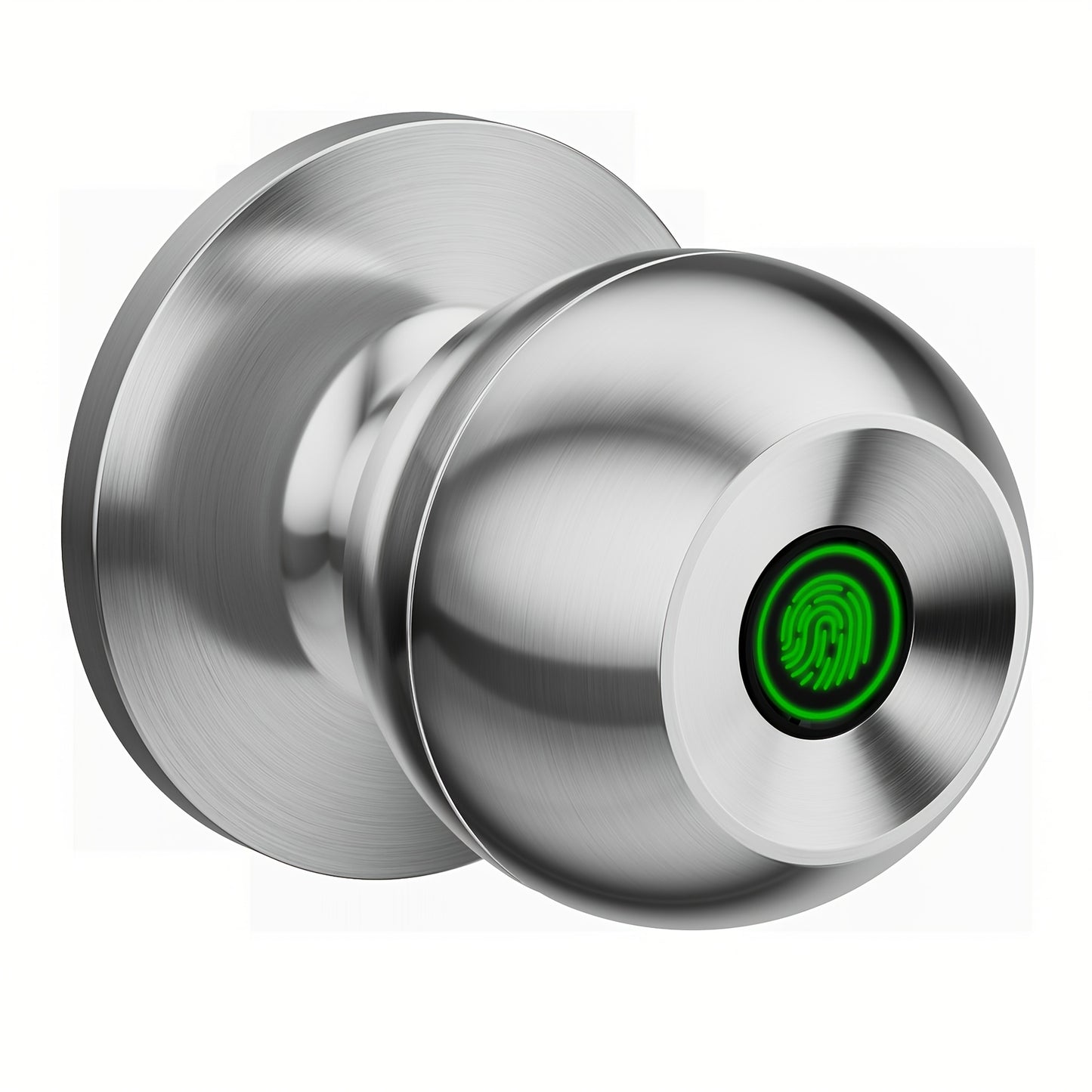
K10 Rechargeable Smart Door Knob with Fingerprint & App Control - 3-in-1 Keyless Entry, Entrance/Passage/Privacy Mode, Built-In Lithium Battery, No Battery Replacement, Matte Black & Brushed Nickel
K10 Rechargeable Smart Door Knob with Fingerprint & App Control - 3-in-1 Keyless Entry, Entrance/Passage/Privacy Mode, Built-In Lithium Battery, No Battery Replacement, Matte Black & Brushed Nickel


Couldn't load pickup availability
-
Ordered
- - -
Order Ready
- - -
Delivered

K10 Rechargeable Smart Door Knob with Fingerprint & App Control - 3-in-1 Keyless Entry, Entrance/Passage/Privacy Mode, Built-In Lithium Battery, No Battery Replacement, Matte Black & Brushed Nickel
K10 Rechargeable Smart Door Knob – Fingerprint, App & Key with Built-In Lithium Battery
No more dead batteries. No more fumbling for keys. The K10 Smart Door Knob combines biometric fingerprint recognition, smartphone app control, and physical key backup into one sleek, rechargeable door knob that simply charges when needed — just like your phone. Available in Matte Black and Brushed Nickel, it blends seamlessly into any home, apartment, or office aesthetic while delivering modern, keyless security you can count on every day.
Whether you’re upgrading a bedroom, securing a rental unit, or outfitting an Airbnb property, the K10 gives you flexible, app-managed access with zero disposable battery hassle.
Why the K10 Smart Door Knob?
- 🔑 3-in-1 Unlock Methods – Fingerprint scan, smartphone app control, and physical key backup. Choose the method that fits the moment — every time.
- 🔋 Built-In Rechargeable Lithium Battery – No disposable batteries to replace. The K10 features a built-in lithium battery that recharges when needed. Long-lasting, low-maintenance, and always ready.
- 📱 App Remote Control – Manage fingerprints, access codes, unlock history, auto-lock settings, and access modes remotely via the companion smartphone app — from anywhere within wireless range.
- 🌀 3 Intelligent Access Modes – Switch between Entrance Mode (standard keyless entry), Passage Mode (door stays unlocked for easy flow), and Privacy Mode (blocks all external access) to suit any situation.
- 👆 Fast Biometric Fingerprint Recognition – Accurate fingerprint identification grants access in under a second. Store multiple fingerprints for family members, guests, or service providers.
- 🎨 Two Premium Finishes – Available in Matte Black and Brushed Nickel to complement contemporary and traditional door styles alike.
- 🔧 Easy DIY Installation – Fits most standard US door preparations. Installs in minutes with a standard screwdriver — no locksmith or professional installer needed.
- 🏠 Versatile Use – Ideal for home bedrooms, apartments, rental properties, Airbnb units, and home offices where a stylish, rechargeable, app-managed keyless door knob is preferred.
Specifications
| Specification | Details |
|---|---|
| Model | K10 |
| Unlock Methods | Fingerprint, Smartphone App, Physical Key |
| Battery | Built-in rechargeable lithium (no replacement needed) |
| Access Modes | Entrance Mode, Passage Mode, Privacy Mode |
| App Compatibility | Companion app (iOS & Android) |
| Colors | Matte Black, Brushed Nickel |
| Suitable For | Bedroom, Home, Office, Apartment, Airbnb, Rental |
| Installation | DIY, standard screwdriver, fits most US doors |
Frequently Asked Questions
Q: Who is the K10 smart door knob best suited for?
A: The K10 is ideal for homeowners, renters, Airbnb hosts, and landlords who want a stylish, rechargeable, app-managed keyless door knob for bedrooms, rental units, home offices, or any interior door where convenience and security matter.
Q: How do I charge the built-in battery and how long does it last?
A: The K10 features a built-in rechargeable lithium battery. Simply connect a charging cable when the battery is low — no need to remove or replace batteries. Battery life varies by usage frequency.
Q: Is this a good gift for a new homeowner, renter, or tech enthusiast?
A: Absolutely. The K10’s rechargeable design, dual finish options, and app-managed access make it an excellent housewarming gift, home upgrade gift, or practical solution for anyone who values keyless convenience and modern smart home aesthetics.
Q: How do I add or remove fingerprints and manage access?
A: All user management — adding/removing fingerprints, setting access codes, viewing unlock history, and toggling access modes — is done through the companion smartphone app. Changes take effect instantly.
Q: What is the difference between Entrance, Passage, and Privacy Mode?
A: Entrance Mode is standard keyless entry (lock engages after closing). Passage Mode keeps the door unlocked for easy in-and-out flow during gatherings or move-in days. Privacy Mode blocks all external access for complete security when you’re inside.
Q: Is this lock a good example of smart home or IoT technology for STEM learning?
A: Yes. The K10 demonstrates real-world applications of biometric authentication, Bluetooth/WiFi IoT connectivity, and mobile app integration — making it a great hands-on example for students and tech enthusiasts exploring smart home systems.
Fast US Shipping
Ships from our US warehouse. Enjoy free delivery in 2–7 business days — no customs delays, no long waits. Order today and upgrade your door with the K10.