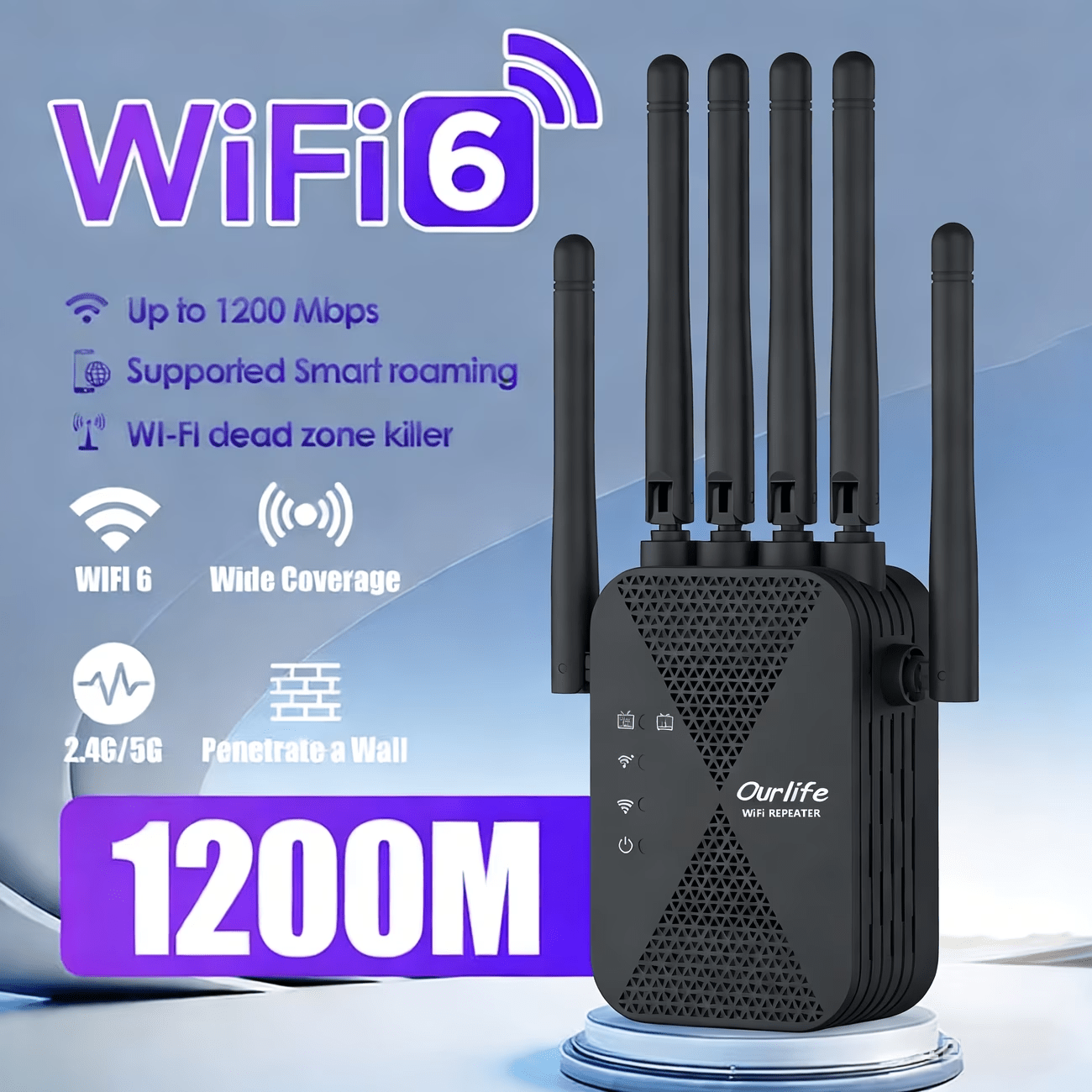
WiFi Extender 1300Mbps Dual Band AP & Relay Mode - 4 Powerful Antennas Full House Coverage, Ethernet Port, Eliminates Dead Zones, for Home Office Gaming Streaming, White Black
WiFi Extender 1300Mbps Dual Band AP & Relay Mode - 4 Powerful Antennas Full House Coverage, Ethernet Port, Eliminates Dead Zones, for Home Office Gaming Streaming, White Black

![[Black]](http://smarttechnest.com/cdn/shop/files/aec2ca2fa41946148a2f702c0baa29e3-goods.jpg?v=1783073551&width=200)


Couldn't load pickup availability
-
Ordered
- - -
Order Ready
- - -
Delivered

WiFi Extender 1300Mbps Dual Band AP & Relay Mode - 4 Powerful Antennas Full House Coverage, Ethernet Port, Eliminates Dead Zones, for Home Office Gaming Streaming, White Black
WiFi Extender 1300Mbps Dual Band — AP & Relay Mode with 4 Antennas & Ethernet Port
Not all WiFi extenders are created equal. This 1300Mbps dual-band extender gives you two powerful operating modes — Access Point (AP) and Relay — so you can deploy it exactly the way your home or office network needs. Four high-gain antennas deliver full-house coverage, a built-in Ethernet port handles wired devices, and the whole thing sets up in seconds. Dead zones, meet your match.
Key Features
- ⚡ 1300Mbps Dual-Band Speed — Simultaneously broadcasts on 2.4GHz and 5GHz for combined speeds up to 1300Mbps — everyday browsing on 2.4GHz, bandwidth-intensive streaming and gaming on 5GHz without interference.
- 📶 4 Powerful Antennas — Full House Coverage — Four high-gain antennas extend your WiFi signal in all directions, delivering comprehensive coverage throughout large homes, multi-story buildings, and offices — clearing every dead angle and weak spot.
- 🔀 AP & Relay Dual Mode — Access Point (AP) Mode converts wired Ethernet connections into wireless networks — ideal for areas with cable access but no WiFi. Relay Mode extends and boosts your existing WiFi signal wirelessly — choose the mode that fits your setup.
- 🔌 Built-In Ethernet Port — Wired RJ45 Ethernet port provides a stable, low-latency connection for gaming consoles, smart TVs, desktop PCs, and NAS devices that demand maximum reliability.
- 🏠 Ideal for Home & Office — Versatile design suits large homes, apartments, home offices, and small businesses — delivering reliable WiFi wherever you need it most. Available in White and Black.
Specifications
| Parameter | Details |
|---|---|
| Max Speed | 1300Mbps (Dual Band) |
| Frequency Bands | 2.4GHz + 5GHz |
| Antennas | 4 × High-Gain |
| Ethernet Port | Yes (1× RJ45) |
| Operating Modes | AP Mode / Relay Mode |
| Coverage | Full House |
| Colors Available | White / Black / Black Upgrade / Black Signal Enhanced |
Frequently Asked Questions
Q: Who is this WiFi extender best suited for?
A: It's ideal for homeowners and renters dealing with WiFi dead zones, home office users needing stable dual-band connections, gamers wanting a wired Ethernet connection in a room far from the router, and small business owners needing flexible AP or relay deployment. The dual-mode operation makes it more versatile than single-mode extenders.
Q: What's the difference between AP Mode and Relay Mode?
A: In Relay Mode, the extender wirelessly connects to your existing router and rebroadcasts the signal — ideal when you can't run a cable. In Access Point (AP) Mode, the extender connects to your router via Ethernet cable and creates a new wireless network — delivering stronger, more stable performance than relay mode for areas where cable access is available.
Q: Is this a good gift for a homeowner or remote worker?
A: Absolutely — it's a practical, versatile gift for anyone dealing with WiFi dead zones. The dual AP/Relay mode, 4-antenna coverage, and Ethernet port make it a standout upgrade that adapts to virtually any home or office network setup.
Q: How do I set up this WiFi extender?
A: For Relay Mode: press the WPS button on your router, then press the WPS button on the extender — connected in under 60 seconds. For AP Mode: connect the extender to your router via Ethernet cable, then access the web interface to configure the wireless network settings.
Q: Can I use the Ethernet port in both AP and Relay modes?
A: In AP Mode, the Ethernet port is used to connect to your router (input). In Relay Mode, the Ethernet port can be used to connect a wired device (output) while the extender wirelessly repeats your WiFi signal simultaneously.
Q: Does this WiFi extender have STEM or educational value?
A: Yes! It's an excellent hands-on tool for students learning about wireless networking, access point vs. repeater architecture, dual-band WiFi, and wired/wireless hybrid networks. These are core concepts in IT certifications like CompTIA Network+ and university-level networking courses.
Fast US Shipping
Ships from US warehouse, free delivery 2-7 business days.