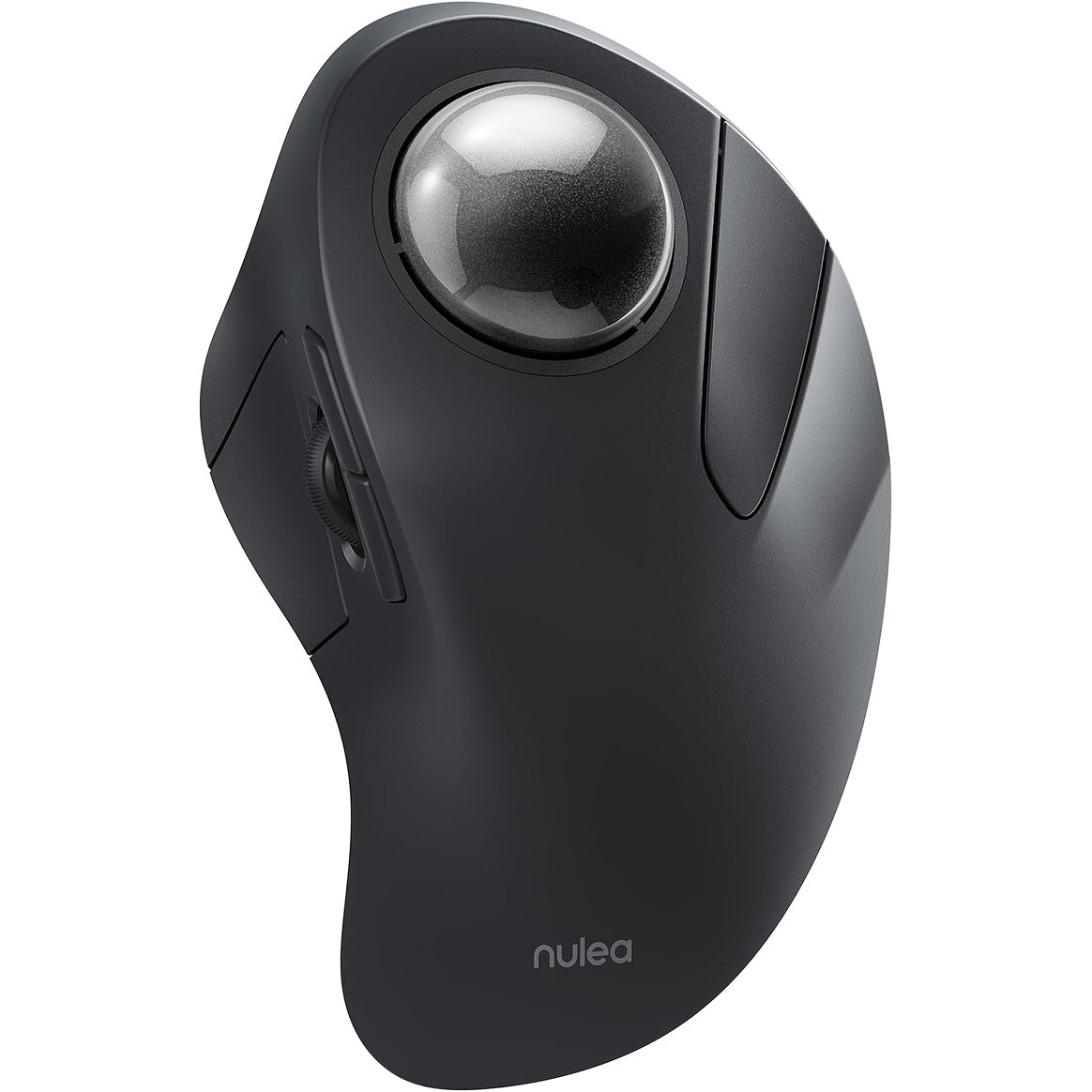
Wireless Ergonomic Trackball Mouse, Rechargeable Bluetooth & 2.4G, 44mm Index Finger Rollerball, 5 DPI Levels, 60-Day Battery, Compatible with PC, Laptop, Mac – Green/Black
Wireless Ergonomic Trackball Mouse, Rechargeable Bluetooth & 2.4G, 44mm Index Finger Rollerball, 5 DPI Levels, 60-Day Battery, Compatible with PC, Laptop, Mac – Green/Black


Couldn't load pickup availability
-
Ordered
- - -
Order Ready
- - -
Delivered

Wireless Ergonomic Trackball Mouse, Rechargeable Bluetooth & 2.4G, 44mm Index Finger Rollerball, 5 DPI Levels, 60-Day Battery, Compatible with PC, Laptop, Mac – Green/Black
Wireless Ergonomic Trackball Mouse – Work Smarter, Hurt Less
If wrist pain, cramped desks, or endless mouse-dragging are slowing you down, the Nulea M505 Wireless Ergonomic Trackball Mouse is your answer. Instead of moving the whole mouse, you control the cursor with a smooth 44mm index finger trackball — keeping your wrist stationary, reducing strain, and giving you precise control in even the tightest workspaces. Whether you're coding, designing, or just grinding through spreadsheets, this mouse makes every hour at the desk more comfortable.
Connect via Bluetooth or 2.4GHz USB receiver, and enjoy up to 60 days of battery life on a single USB-C charge. Available in Green and Black.
Why You'll Love This Trackball Mouse
- 🔮 44mm Index Finger Trackball — Smooth, precise cursor control without moving your arm — ideal for wrist pain relief and RSI prevention
- 📶 Bluetooth + 2.4GHz Dual Wireless — Connect via Bluetooth or the included 2.4G USB nano receiver (stored in the mouse base)
- 🔋 60-Day Battery Life — Rechargeable via USB-C; red indicator during charging, green when full
- 🎯 5 Adjustable DPI Levels — Switch between 200 / 400 / 800 / 1200 / 1600 DPI with a dedicated button for any task or surface
- 💼 Ideal for Tight Workspaces — No mouse pad needed; works on virtually any surface without requiring desk space to move
- 💻 Wide Compatibility — Works with Windows PC, Mac, and Linux laptops and desktops
- 🔴🟢 Two Color Options — Choose Green or Black to match your setup
Specifications
| Feature | Details |
|---|---|
| Model | Nulea M505 |
| Trackball Size | 44mm Index Finger |
| DPI Settings | 200 / 400 / 800 / 1200 / 1600 |
| Connectivity | Bluetooth + 2.4GHz USB Receiver |
| Battery Life | Up to 60 Days |
| Charging | USB-C |
| Hand Orientation | Right-Hand |
| Best For | Medium to Large Hands |
| Compatible OS | Windows, macOS, Linux |
| Colors | Green, Black |
Frequently Asked Questions
Q: How do I charge the mouse and check the battery?
A: Use the included USB-C to USB-A cable to charge. The indicator light in the scroll wheel slit shows red while charging and turns green when fully charged.
Q: How do I wake the mouse from sleep mode?
A: The M505 enters sleep mode after 30 minutes of inactivity. To wake it, click any button — note that scrolling the trackball or moving the mouse will not wake it up.
Q: Where is the 2.4GHz USB receiver stored?
A: The nano USB receiver is stored in a compartment at the bottom of the mouse for safe keeping during travel.
Q: How do I adjust the DPI?
A: Press the DPI button located on the bottom of the mouse to cycle through the 5 settings: 200, 400, 800, 1200, and 1600 DPI.
Q: Is this compatible with Mac?
A: Yes, it works with macOS. Note that the Forward/Backward side buttons are not compatible with Mac OS, but all other functions work normally.
Q: Would this make a good gift?
A: Absolutely — it's a thoughtful gift for office workers, programmers, designers, or anyone who spends long hours at a computer and wants to reduce wrist strain. The unique trackball design makes it stand out from ordinary mice.
Fast US Shipping
Ships from our US warehouse — enjoy free delivery in 2–7 business days to anywhere in the continental United States. Order today and get it fast!