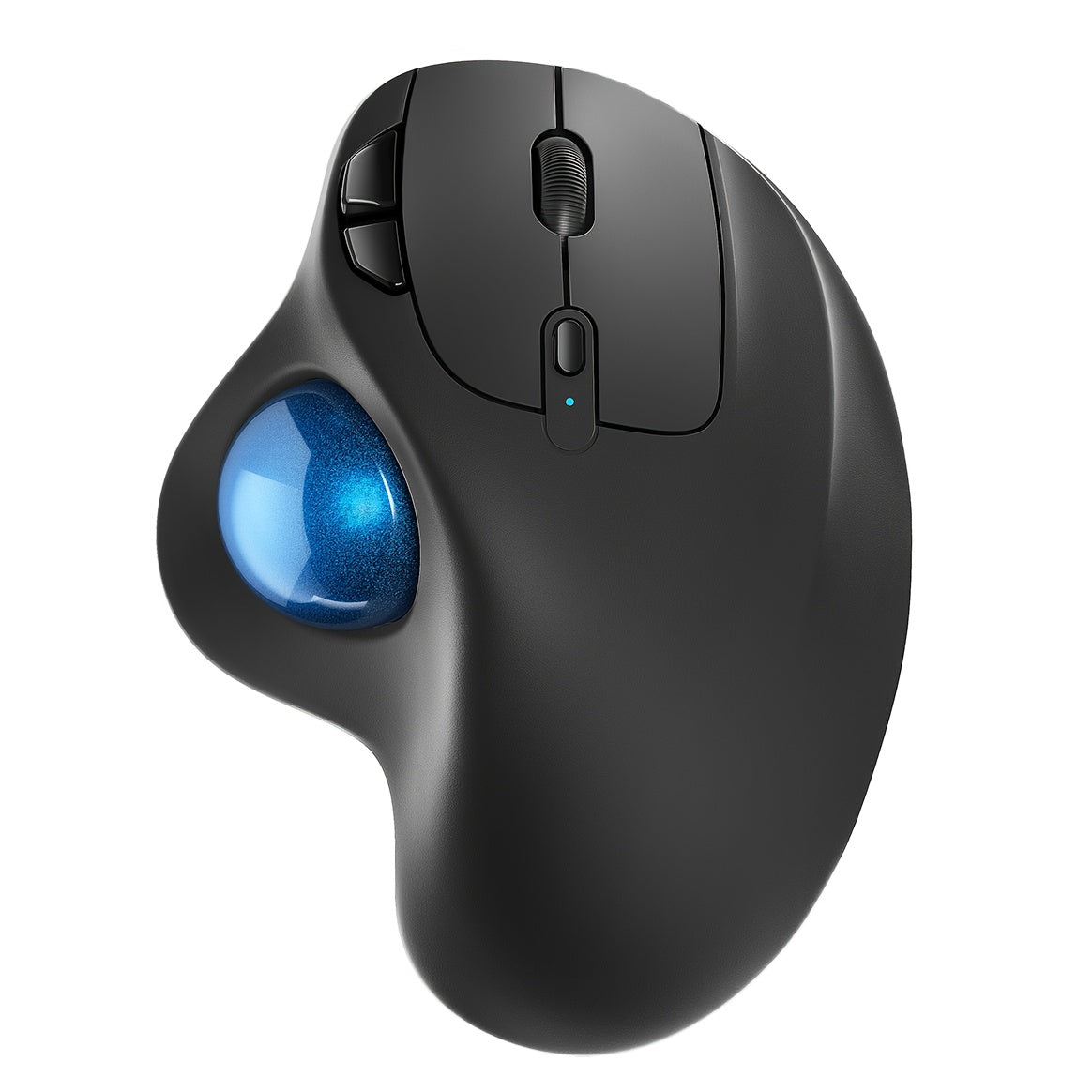
Wireless Trackball Mouse Rechargeable Ergonomic Thumb Control 3 Device Connection 2.4G USB Receiver Bluetooth 4 DPI Settings Precise Smooth Tracking Compatible with PC Laptop Mac Windows
Wireless Trackball Mouse Rechargeable Ergonomic Thumb Control 3 Device Connection 2.4G USB Receiver Bluetooth 4 DPI Settings Precise Smooth Tracking Compatible with PC Laptop Mac Windows


Couldn't load pickup availability
-
Ordered
- - -
Order Ready
- - -
Delivered

Wireless Trackball Mouse Rechargeable Ergonomic Thumb Control 3 Device Connection 2.4G USB Receiver Bluetooth 4 DPI Settings Precise Smooth Tracking Compatible with PC Laptop Mac Windows
Wireless Trackball Mouse – Rechargeable Ergonomic Thumb Control with 3-Device Connection
If you spend hours at a desk and your wrist is paying the price, this wireless trackball mouse is the upgrade you've been waiting for. Instead of moving the entire mouse across a surface, you control the cursor with your thumb — keeping your wrist in a natural, relaxed position all day long. Connect to up to 3 devices simultaneously via Bluetooth or the included 2.4G USB receiver, switch between them instantly, and enjoy precise, smooth tracking at 4 adjustable DPI settings. Rechargeable via USB, so no more hunting for batteries. Compatible with PC, laptop, Mac, and Windows.
Why You'll Love It
- 🖇️ Ergonomic Thumb Trackball Design – Control the cursor with your thumb — no wrist movement required, reducing strain and fatigue
- 🔄 3-Device Connection – Connect to up to 3 devices via Bluetooth or 2.4G USB receiver and switch between them instantly
- 🔋 Rechargeable Battery – Charge via USB — no disposable batteries needed. Blue indicator light shows charging status
- 🎯 4 Adjustable DPI Settings – Switch between 400, 800, 1200, and 1600 DPI with a single button press for precise or fast cursor control
- 📶 2.4G USB Receiver Included – Stored conveniently at the bottom of the mouse; plug in for instant wireless connection
- 💻 Universal Compatibility – Works with PC, laptop, Mac, and Windows operating systems
- 😴 Auto Sleep Mode – Enters sleep mode after 30 minutes of inactivity to conserve battery; wake with a button click
Specifications
| Feature | Details |
|---|---|
| Connection | Bluetooth + 2.4G USB Receiver (3 Devices) |
| Trackball Control | Thumb Trackball |
| DPI Settings | 400 / 800 / 1200 / 1600 (Default: 400) |
| Battery | Rechargeable (USB Charging) |
| Charging Indicator | Blue = Charging, Off = Fully Charged |
| USB Receiver Storage | Bottom of Mouse |
| Sleep Mode | 30 Minutes of Inactivity |
| Compatible OS | PC, Laptop, Mac, Windows |
| Model | M501 |
Frequently Asked Questions
Q: Who is this trackball mouse best suited for?
A: Ideal for office workers, programmers, designers, and anyone who experiences wrist pain or fatigue from traditional mice. Also great for users with limited desk space since the trackball eliminates the need to move the mouse.
Q: How do I charge the mouse?
A: Use the included charging cable with a 5V charger or computer USB port. Do not use a fast charger. The indicator light under the DPI button turns blue while charging and turns off when fully charged.
Q: Is this a good gift?
A: Absolutely! It's a thoughtful, practical gift for office workers, remote workers, programmers, or anyone who spends long hours at a computer. Great for birthdays, Christmas, or work anniversaries.
Q: How do I switch between connected devices?
A: The mouse supports up to 3 device connections. Use the device switch button to cycle between your connected devices instantly — no re-pairing required.
Q: How do I adjust the DPI?
A: Press the DPI button below the scroll wheel to cycle through 400, 800, 1200, and 1600 DPI settings. Higher DPI = faster cursor movement; lower DPI = more precise control.
Q: Are the mouse buttons programmable?
A: No — the buttons on this mouse are not programmable. Note: the Forward and Backward buttons are not compatible with Mac OS.
Fast US Shipping
Ships from US warehouse, free delivery 2-7 business days.